
INDEPENDENT MYDOCPHOTO GUIDANCE
DV photo requirements: from the shot to the final file
A practical DV photo guide: photo age, background, JPEG and 600×600 dimensions, head and eye measurements and when to retake.
Last reviewed: September 30, 2026 · Prepared by MyDocPhoto
Why is a 600×600 file not enough?
Dimensions describe the file, not the quality or age of the shot or whether it reflects your appearance. Separating these questions helps you decide whether you need only a crop or a new photo. Passing format, size and dimensions checks does not mean all photo requirements are satisfied.
Prepare the photo session before opening the crop tool
Ask for a recent color photo against a suitable background. Face the camera with a neutral expression and open eyes. Read official clothing, head covering, glasses and exception instructions. After shooting, inspect the face in normal view before using a background contrast preview. If there is obvious blur or shadow, request a new shot rather than trying to fix it with cropping.
Published DV entry file specifications
JPEG, 600×600 pixels and no more than 240 KB. These are specifically DV entry photo specifications; do not confuse them with other documents. PhotoCheck also accepts PNG and WebP for inspection, but prepares a JPEG output. If the original has low resolution, request a higher-resolution copy; enlarging a file does not recover missing detail.
How do you place the head and eyes?
In a 600×600 output, head height from the top of the head including hair to the bottom of the chin is 300–414 pixels. Eye level measured from the bottom is 336–414 pixels. These are different ranges: do not use head height as the eye-level rule. Place the points carefully and review them after changing framing. Tool guides are aids; the user identifies these points.
Compare your photo: acceptable and unacceptable examples
Choose a category and thumbnail to read the reason and tip. Comparison supports review but does not guarantee official acceptance.

Unacceptable — Underexposure
Photo tip: Improve lighting and retake.
Compare official examples: an important basis for reviewing your photo
Start by comparing your photo with examples published by the U.S. Department of State. Review acceptable and unacceptable examples in each category. Comparison helps identify issues, but does not guarantee official acceptance.
| Official category | What to compare |
|---|---|
| Shadows and lighting | Compare lighting and visible facial detail. |
| Size and position | Compare framing, head height and eye level. |
| Resolution and quality | Review sharpness, detail and file quality. |
| Digital changes | Review examples of unsuitable digital changes. |
| Pose and expression | Compare face direction, eyes and expression. |
| Attire, hats and glasses | Review items that may obscure the face. |
| Background | Compare background color and uniformity. |
| Children | Review examples of children and face visibility. |
COMPARE BEFORE APPLYING
Compare your photo and measurements with State Department examples
Open the official well-composed examples and compare your photo before submitting. Start with head and eye placement, then facial visibility and background. The examples below support visual comparison; resemblance to one example does not establish acceptance.
Primary source: Photo Composition Template — U.S. Department of State
| What to measure | Official range | For a 600-pixel-high photo |
|---|---|---|
| Head height: top of hair to bottom of chin | 50–69% | 300–414 px |
| Eye level: bottom of image to the eyes | 56–69% | 336–414 px |
Center the head and show it fully from the top of the hair to the bottom of the chin. Face the camera with a neutral expression. Do not force everyone into one fixed position: measure the distances and compare the ranges.
The official template covers digital visa photos generally. The DV entry output prepared by our tool is 600×600 pixels; do not substitute the general size range for DV-specific requirements.
Visual comparison examples

Compare head and eye placement, face visibility and balanced framing.
View larger
Compare head and eye placement, face visibility and balanced framing.
View larger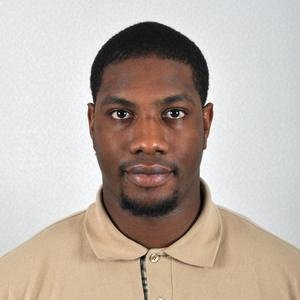
Compare head and eye placement, face visibility and balanced framing.
View larger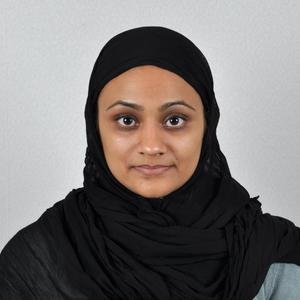
Compare head and eye placement, face visibility and balanced framing.
View largerView the five templates with comparison guides
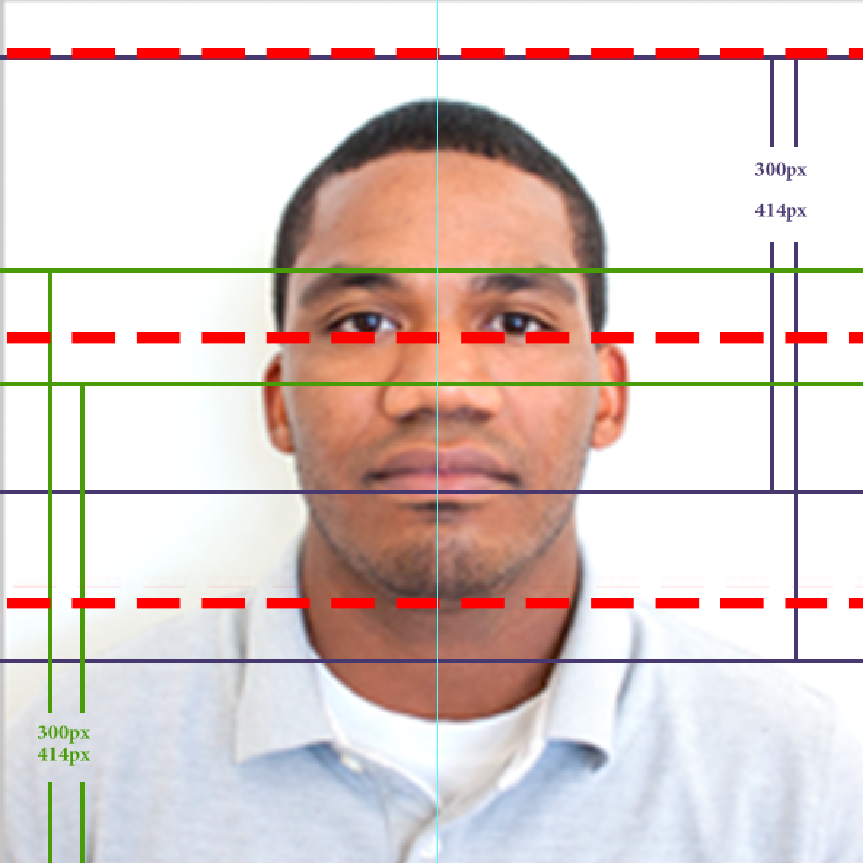
Added lines are review aids only. Use the measurements in the table above.
View larger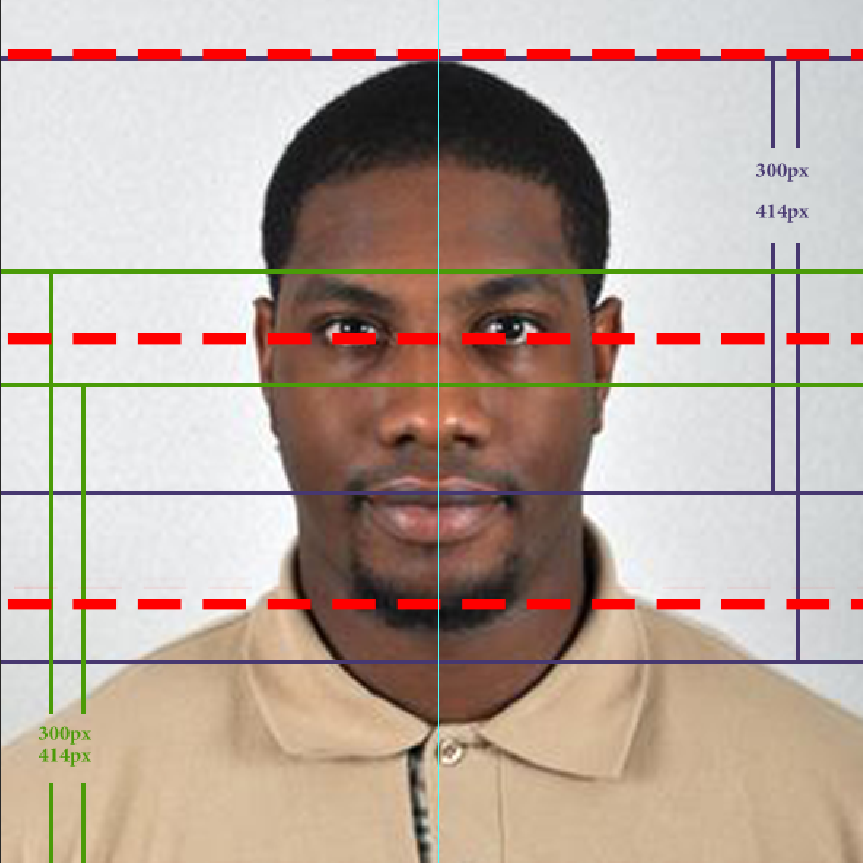
Added lines are review aids only. Use the measurements in the table above.
View larger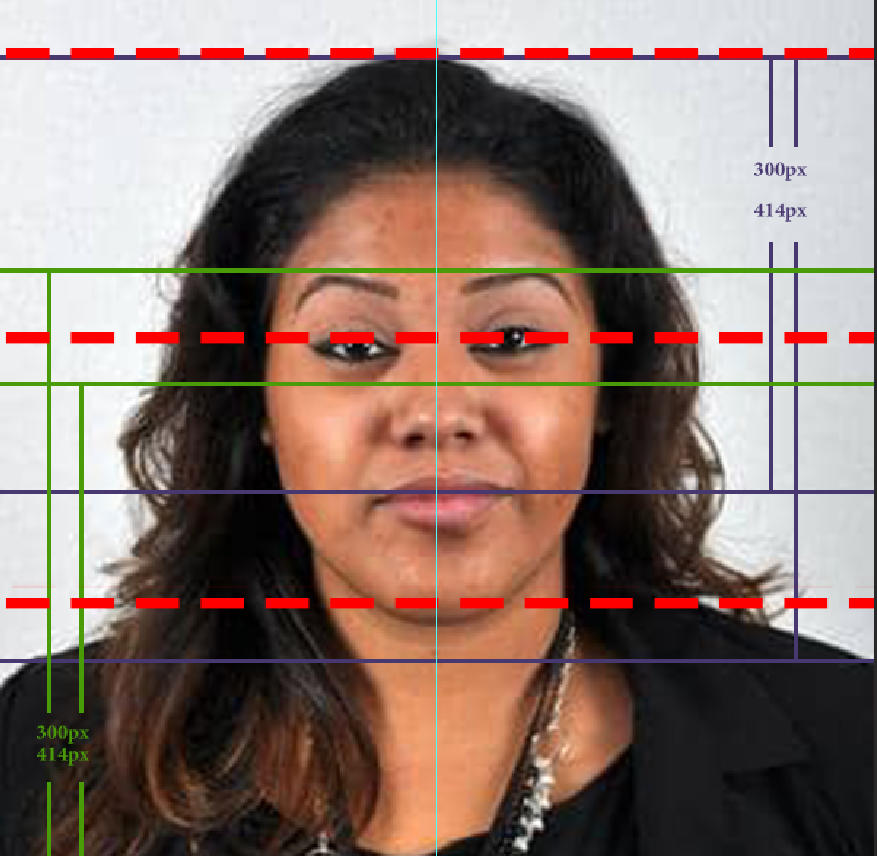
Added lines are review aids only. Use the measurements in the table above.
View larger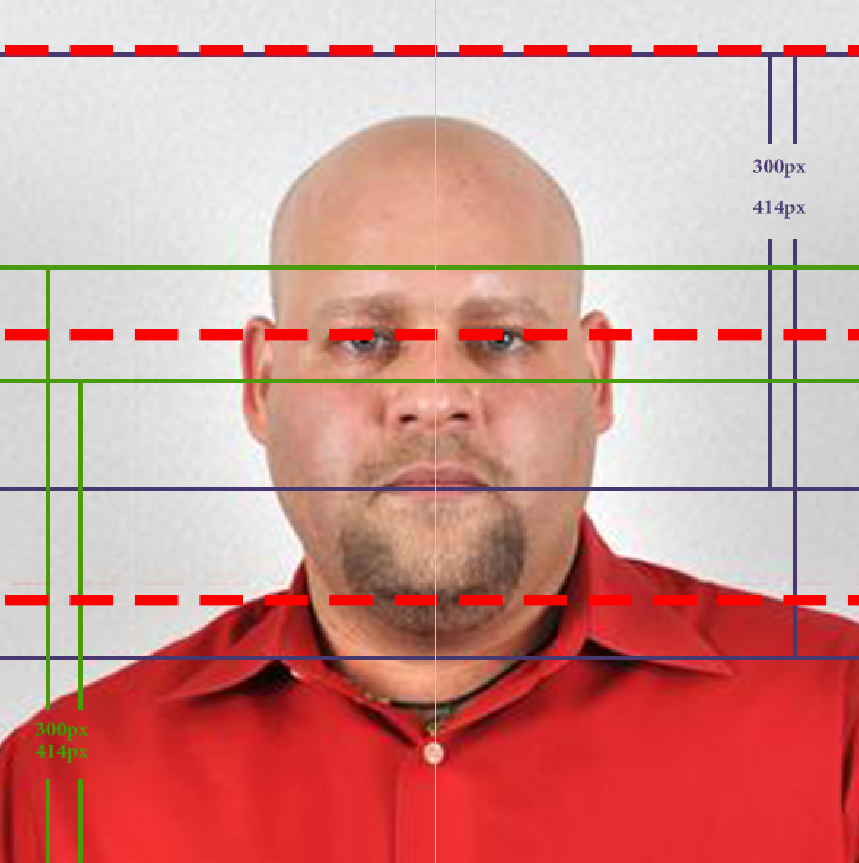
Added lines are review aids only. Use the measurements in the table above.
View larger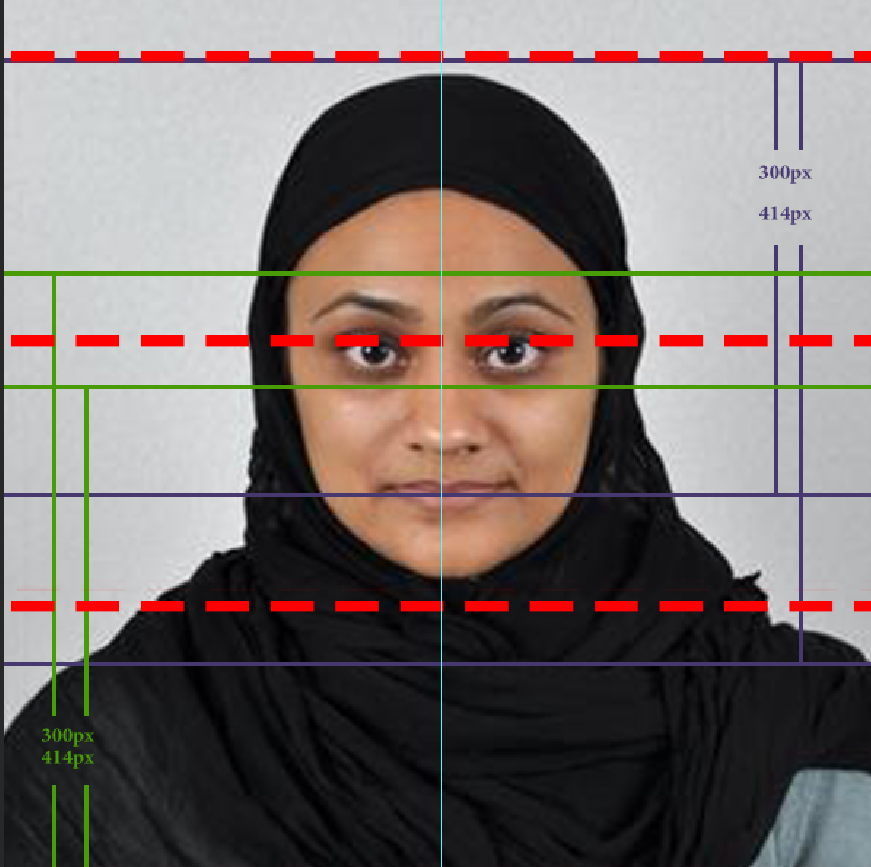
Added lines are review aids only. Use the measurements in the table above.
View largerAdditional background and edge review previews
These two images are visual-effect previews, not submission-ready examples or conclusive evidence of editing. Use the normal image to review your appearance and the previews only to inspect details.
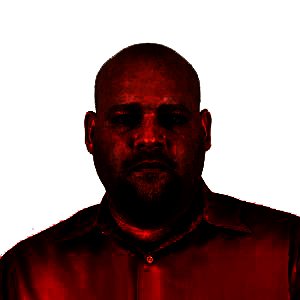
A modified tonal preview, not a submission photo or proof of background replacement.
View larger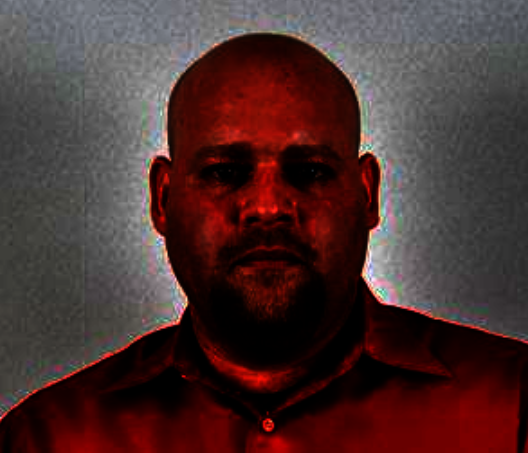
Review hair and shoulder edges. The effect can also emphasize lighting and compression differences.
View largerAlso review official lighting, background and head-position examples
When should you use a new photo?
If the actual capture date is more than six months ago, or the photo does not reflect your appearance, start with a new shot. An EXIF date is a review indicator, not conclusive proof. Do not substitute file creation or modification dates for capture date. Check cycle instructions regarding reused photos and the information needed for each family member.
Before downloading
Compare the official examples. Review your head, chin and eye guide placement. Check that the final file has no guides or background preview effect. Keep the original and report. Then follow the entry form instructions and retain your confirmation number. PhotoCheck does not submit your entry or determine eligibility or selection chances.